Get Started with TMS for Merchants
Tokenize payment information, manage your tokens, and securely process payments.
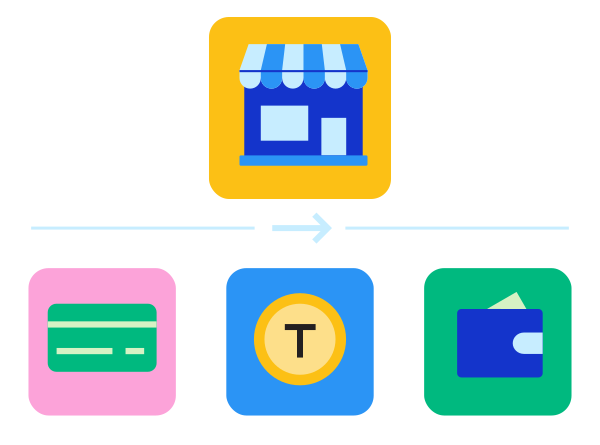
This flow walks merchants through setting up . Choose the integration model that matches how you use :
Provision and manage network tokens directly through as a standalone service, independent of payment processing. handles token provisioning, cryptogram generation, and life-cycle updates.
Register for a Sandbox Account
Register for a sandbox account to begin creating and managing network tokens using .
You can use this sandbox account to access the , create API keys, and begin testing using the API reference.
Already have a sandbox account? Log in to the :
- Test:
- Production:
Create API Keys
- Log in to the using your credentials.
- On the left navigation panel, choose Payment Configuration > Key Management.
- Generate a REST – Certificate key. This key authenticates and encrypts requests to the API.
- Generate a REST – API Response MLE key. This key decrypts responses from the API.
For more information, see REST API Keys.
Enable Network Tokenization
Network tokenization replaces a customer's primary account number (PAN) with a network token. A network token is a tokenized card number that is issued by card networks (for example, Visa, Mastercard, American Express, and Discover). Network tokens use the same format as a PAN but are domain-restricted and cryptographically secured. This reduces exposure to fraud and data breaches.
For more information about how network tokens work and their benefits, see Network Tokens.
Network token enablement is currently a manual process and requires a request to be sent to support. For more information about network token enablement, visit the Support Center:
Tokenize Payment Information
Provision a network token for a card number using the Tokenized Cards API, then retrieve, refresh, and remove that token as needed.
For details on authenticating and constructing requests to the API, see Requesting the Token Management Service.
Provision a Network Token
Create a network token for a card number.
You can use specific test cards to provision a network token in the test environment. See Test Cards.
POST /tms/v2/tokenized-cards
POST /tms/v2/tokenized-cards
POST /tms/v2/tokenized-cards
POST /tms/v2/tokenized-cards
POST /tms/v2/tokenized-cards
{ "source": "ONFILE", "card": { "number": "X622943123116478", "expirationMonth": "12", "expirationYear": "2026" }}{ "_links": { "self": { "href": "/tms/v2/tokenized-cards/5C0D71214ACB893BE063AF598E0A709B" }, "instrumentIdentifier": { "href": "/tms/v1/instrumentidentifiers/7031530000033441624" } }, "id": "5C0D71214ACB893BE063AF598E0A709B", "object": "tokenizedCard", "state": "ACTIVE", "enrollmentId": "15372f0f2bdf79725a1516de0288de01", "tokenReferenceId": "8d40eed53be76d63c665111dc1d46e01", "paymentAccountReference": "V0010013025104530884197510742", "number": "489537XXXXXX1624", "expirationMonth": "12", "expirationYear": "2036", "type": "visa", "card": { "suffix": "6478", "expirationMonth": "12", "expirationYear": "2026", "expirationPrinted": true, "securityCodePrinted": true }, "metadata": { "cardArt": { "combinedAsset": { "id": "8f64614def1a41d39ea8acae4616bf6f", "_links": { "self": { "href": "/tms/v2/tokens/7031530000033441624/vts/assets/card-art-combined" } } }, "brandLogoAsset": { "id": "00000000000000000000000000001071", "_links": { "self": { "href": "/tms/v2/tokens/7031530000033441624/vts/assets/brand-logo" } } }, "foregroundColor": "1af0f0", "backgroundColor": "009614", "labelColor": "19550a" }, "issuer": { "shortDescription": "shortDescription", "longDescription": "longDescription", "email": "[email protected]", "phoneNumber": "987654321", "url": "www.test.com", "capabilities": { "deviceBindingSupported": true, "cardholderVerificationSupported": true, "trustedBeneficiaryEnrollmentSupported": false, "delegatedAuthenticationSupported": true, "oboDeviceBindingSupported": false } }, "services": { "scanAndPay": { "merchantPresentedQrEnabled": "N" } }, "creator": "apiref_chase" }, "source": "ONFILE"}For the full set of required fields, see Network Tokens.
To review network token provision failures and reasons, see Network Token Provision Failures.
Retrieve Network Token and Cryptogram
Generate standard payment credentials, including the network token value and cryptogram, for an existing tokenized card.
POST /tms/v2/tokens/{tokenId}/payment-credentials
POST /tms/v2/tokens/{tokenId}/payment-credentials
POST /tms/v2/tokens/{tokenId}/payment-credentials
POST /tms/v2/tokens/{tokenId}/payment-credentials
POST /tms/v2/tokens/{tokenId}/payment-credentials
{ "paymentCredentialType": "CRYPTOGRAM", "transactionType": "ECOM"}{ "paymentCredentialType": "CRYPTOGRAM", "transactionType": "AFT"}{ "_links": { "self": { "href": "/tms/v2/tokens/5E4691582B95B856E063AF598E0A182F/payment-credentials" }, "tokenized-cards": { "href": "/tms/v2/tokenized-cards/5E4691582B95B856E063AF598E0A182F" } }, "tokenizedCard": { "id": "5E4691582B95B856E063AF598E0A182F", "state": "ACTIVE", "enrollmentId": "8fe4564c6f6c6b2fd9c1137163d08c01", "tokenReferenceId": "90081cb9df3174aa14d31b41b36c8f01", "paymentAccountReference": "V0010013026118360280223881933", "number": "4895379992796167", "expirationMonth": "12", "expirationYear": "2029", "type": "visa", "cryptogram": "BwAAAAAAg8djP2QF9eD8gyUAAAg=", "eci": "07", "applicationTransactionCounter": "131", "requestorId": "40000000082", "card": { "suffix": "6433", "expirationMonth": "12", "expirationYear": "2026", "expirationPrinted": true, "securityCodePrinted": true, "termsAndConditions": { "url": "https://www.visa.com.sg/support.html" } }, "metadata": { "cardArt": { "combinedAsset": { "id": "84cfb836af434859be62c766bdc9e510", "_links": { "self": { "href": "/tms/v2/tokens/5E4691582B95B856E063AF598E0A182F/vts/assets/card-art-combined" } } }, "brandLogoAsset": { "id": "28b5b546da554832ac69ac82c9b7be2c", "_links": { "self": { "href": "/tms/v2/tokens/5E4691582B95B856E063AF598E0A182F/vts/assets/brand-logo" } } }, "foregroundColor": "ffffff", "backgroundColor": "083b83", "labelColor": "ffffff" }, "issuer": { "shortDescription": "American Bank & Trust", "email": "[email protected]", "phoneNumber": "+1800222333", "url": "https://bank.com", "privacyPolicyUrl": "https://www.visa.com.sg/legal/privacy-policy.html", "capabilities": { "deviceBindingSupported": true, "cardholderVerificationSupported": true, "trustedBeneficiaryEnrollmentSupported": false, "delegatedAuthenticationSupported": true, "oboDeviceBindingSupported": false } }, "services": { "scanAndPay": { "merchantPresentedQrEnabled": "N" } }, "creator": "transacting_mid" }, "source": "ONFILE" }, "card": { "number": "4895379992796167", "cobadged": false }, "issuer": { "paymentAccountReference": "V0010013026118360280223881933" }, "processingInformation": { "commerceIndicator": "internet" }}The {tokenId} is the tokenized card ID returned in the id field when you provisioned the network token. The raw response is a JSON Web Encryption (JWE) payload; the example above shows the decrypted payload. For details on decrypting it, see Payment Credentials.
Retrieve Latest PAN Suffix and Expiration Details
Retrieve the current state of a network token, including the latest PAN suffix and expiration details.
GET /tms/v2/tokenized-cards/{tokenizedCardId}
GET /tms/v2/tokenized-cards/{tokenizedCardId}
GET /tms/v2/tokenized-cards/{tokenizedCardId}
GET /tms/v2/tokenized-cards/{tokenizedCardId}
GET /tms/v2/tokenized-cards/{tokenizedCardId}
{ "_links": { "self": { "href": "/tms/v2/tokenized-cards/5E4691582B95B856E063AF598E0A182F" }, "instrumentIdentifier": { "href": "/tms/v1/instrumentidentifiers/7030130000047466167" } }, "id": "5E4691582B95B856E063AF598E0A182F", "object": "tokenizedCard", "state": "ACTIVE", "enrollmentId": "8fe4564c6f6c6b2fd9c1137163d08c01", "tokenReferenceId": "90081cb9df3174aa14d31b41b36c8f01", "paymentAccountReference": "V0010013026118360280223881933", "number": "489537XXXXXX6167", "expirationMonth": "12", "expirationYear": "2029", "type": "visa", "requestorId": "40000000082", "card": { "suffix": "6433", "expirationMonth": "12", "expirationYear": "2026", "expirationPrinted": true, "securityCodePrinted": true, "termsAndConditions": { "url": "https://www.visa.com.sg/support.html" } }, "metadata": { "cardArt": { "combinedAsset": { "id": "84cfb836af434859be62c766bdc9e510", "_links": { "self": { "href": "/tms/v2/tokens/7030130000047466167/vts/assets/card-art-combined" } } }, "brandLogoAsset": { "id": "28b5b546da554832ac69ac82c9b7be2c", "_links": { "self": { "href": "/tms/v2/tokens/7030130000047466167/vts/assets/brand-logo" } } }, "foregroundColor": "ffffff", "backgroundColor": "083b83", "labelColor": "ffffff" }, "issuer": { "shortDescription": "American Bank & Trust", "email": "[email protected]", "phoneNumber": "+1800222333", "url": "https://bank.com", "privacyPolicyUrl": "https://www.visa.com.sg/legal/privacy-policy.html", "capabilities": { "deviceBindingSupported": true, "cardholderVerificationSupported": true, "trustedBeneficiaryEnrollmentSupported": false, "delegatedAuthenticationSupported": true, "oboDeviceBindingSupported": false } }, "services": { "scanAndPay": { "merchantPresentedQrEnabled": "N" } }, "creator": "transacting_mid" }, "source": "ONFILE"}The {tokenizedCardId} is the tokenized card ID returned in the id field when you provisioned the network token. For details, see Network Tokens.
You can retrieve card art content to show to your customer when you retrieve a network token. For more information, see Card Art.
Delete Network Token
Remove a network token that you no longer need.
DELETE /tms/v2/tokenized-cards/{tokenizedCardId}
DELETE /tms/v2/tokenized-cards/{tokenizedCardId}
DELETE /tms/v2/tokenized-cards/{tokenizedCardId}
DELETE /tms/v2/tokenized-cards/{tokenizedCardId}
DELETE /tms/v2/tokenized-cards/{tokenizedCardId}
For details, see Network Tokens.
Subscribe to Network Token Updates
Create a digital signature key, then create a webhook subscription to receive notifications about network token lifecycle events, such as provisioning, updates, and device binding. For more details on creating, retrieving, and updating webhook subscriptions, see Webhooks.
Create Webhook Security Keys
You must create a digital signature key to enable to send notifications to your servers.
You can choose to validate each notification sent to your servers using your digital signature key. For more information, see Optional Notification Validation.
POST /kms/egress/v2/keys-sym
POST /kms/egress/v2/keys-sym
{ "clientRequestAction": "CREATE", "keyInformation": { "provider": "nrtd", "tenant": "<INSERT ORGANIZATION ID HERE>", "keyType": "sharedSecret", "organizationId": "<INSERT ORGANIZATION ID HERE>" }}{ "submitTimeUtc": "2021-03-17T06:53:06+0000", "status": "SUCCESS", "keyInformation": { "provider": "NRTD", "tenant": "organizationId", "organizationId": "organizationId", "keyId": "bdc0fe52-091e-b0d6-e053-34b8d30a0504", "key": "u3qgvoaJ73rLJdPLTU3moxrXyNZA4eo5dklKtIXhsAE=", "keyType": "sharedSecret", "status": "Active", "expirationDate": "2022-03-17T06:53:06+0000" }}For more information, see Create a Digital Signature Key.
Subscribe to Network Token Events
Subscribe to network token lifecycle event notifications.
POST /notification-subscriptions/v2/webhooks
POST /notification-subscriptions/v2/webhooks
{ "name": "My Custom Webhook", "description": "Sample Webhook from Developer Center", "organizationId": "<INSERT ORGANIZATION ID HERE>", "products": [ { "productId": "tokenManagement", "eventTypes": [ "tms.networktoken.provisioned", "tms.networktoken.updated" ] } ], "webhookUrl": "https://MyWebhookServer.com:8443/simulateClient", "healthCheckUrl": "https://MyWebhookServer.com:8443/simulateClientHealthCheck", "retryPolicy": { "algorithm": "ARITHMETIC", "firstRetry": 1, "interval": 1, "numberOfRetries": 3, "deactivateFlag": "false", "repeatSequenceCount": 0, "repeatSequenceWaitTime": 0 }, "securityPolicy": { "securityType": "KEY" }}{ "organization": {"organizationId": "OrganizationId"}, "product": {"productId": "tokenManagement"}, "webhook": { "webhookId": "e33b4ff7-f94a-2de4-e053-a2588e0a0403", "webhookUrl": "https://URL", "createdOn": "2021-12-15 23:46:00.053", "eventTypes": [ {"name": "tms.networktoken.provisioned"}, {"name": "tms.networktoken.updated"} ], "status": "INACTIVE", "retryPolicy": { "algorithm": "ARITHMETIC", "firstRetry": 5, "interval": 5, "numberOfRetries": 4, "deactivateFlag": false, "repeatSequenceCount": 4, "repeatSequenceWaitTime": 5 }, "securityPolicy": [{ "digitalSignatureEnabled": "yes", "proxyType": "external", "security_id": "c05cc30a-ce9b-487f-be38-65ab5977b5bc", "security_type": "key" }] }}For more information, see Create Webhook Subscription.
Get Details on a Webhook Subscription
Retrieve the details of an existing webhook subscription.
GET /notification-subscriptions/v2/webhooks/{webhookId}
GET /notification-subscriptions/v2/webhooks/{webhookId}
{ "organization": {"organizationId": "OrganizationId"}, "product": {"productId": "tokenManagement"}, "webhook": { "webhookId": "e33b4ff7-f94a-2de4-e053-a2588e0a0403", "webhookUrl": "https://URL", "createdOn": "2021-12-15 23:46:00.053", "eventTypes": [ {"name": "tms.networktoken.provisioned"}, {"name": "tms.networktoken.updated"} ], "status": "ACTIVE", "retryPolicy": { "algorithm": "ARITHMETIC", "firstRetry": 5, "interval": 5, "numberOfRetries": 4, "deactivateFlag": false, "repeatSequenceCount": 4, "repeatSequenceWaitTime": 5 }, "securityPolicy": [{ "digitalSignatureEnabled": "yes", "proxyType": "external", "security_id": "c05cc30a-ce9b-487f-be38-65ab5977b5bc", "security_type": "key" }] }}For more information, see Retrieve Webhook Subscription Details.
Create and manage tokens as part of your payment authorization flow on . This extends your existing payment flows with minimal changes, while manages token life-cycle and transaction handling.
Register for a Sandbox Account
Register for a sandbox account to begin creating and managing network tokens using .
You can use this sandbox account to access the , create API keys, and begin testing using the API reference.
Already have a sandbox account? Log in to the :
- Test:
- Production:
Create API Keys
- Log in to the using your credentials.
- On the left navigation panel, choose Payment Configuration > Key Management.
- Generate a REST – Certificate key. This key authenticates and encrypts requests to the API.
- Generate a REST – API Response MLE key. This key decrypts responses from the API.
For more information, see REST API Keys.
Enable Network Tokenization
Network tokenization replaces a customer's primary account number (PAN) with a network token. A network token is a tokenized card number that is issued by card networks (for example, Visa, Mastercard, American Express, and Discover). Network tokens use the same format as a PAN but are domain-restricted and cryptographically secured. This reduces exposure to fraud and data breaches.
For more information about how network tokens work and their benefits, see Network Tokens.
Network token enablement is currently a manual process and requires a request to be sent to support. For more information about network token enablement, visit the Support Center:
Tokenize Payment Information
For details on authenticating and constructing requests to the API, see Requesting the Token Management Service.
Store Customer Payment Details
Authorize a payment with an existing customer token. To create a customer token first, see Manage Customer Tokens.
POST /pts/v2/payments
POST /pts/v2/payments
{ "clientReferenceInformation": { "code": "12345678" }, "paymentInformation": { "customer": { "id": "F45FB3E443AC3C57E053A2598D0A9CFF" } }, "orderInformation": { "amountDetails": { "currency": "USD", "totalAmount": "10.00" } }}{ "id": "7055928871556818104953", "status": "AUTHORIZED", "orderInformation": { "amountDetails": { "authorizedAmount": "10.00", "currency": "USD" } }, "paymentInformation": { "instrumentIdentifier": { "id": "7010000000016241111", "state": "ACTIVE" }, "paymentInstrument": { "id": "0F35E9CFEA463E34E063A2598D0A3FC2" }, "customer": { "id": "B21E6717A6F03479E05341588E0A303F" } }}For the full set of required fields, response fields, and related operations, see Payments with Customer Tokens.
Retrieve a Customer Token
Retrieve the details and current state of an existing customer token, including the latest PAN suffix and expiration details when the token is associated with a network token.
GET /tms/v2/customers/{customerTokenId}
GET /tms/v2/customers/{customerTokenId}
GET /tms/v2/customers/{customerTokenId}
GET /tms/v2/customers/{customerTokenId}
GET /tms/v2/customers/{customerTokenId}
{ "_links": { "self": { "href": "/tms/v2/customers/5E46D77444218C0FE063AF598E0AF3B3" }, "paymentInstruments": { "href": "/tms/v2/customers/5E46D77444218C0FE063AF598E0AF3B3/payment-instruments" }, "shippingAddresses": { "href": "/tms/v2/customers/5E46D77444218C0FE063AF598E0AF3B3/shipping-addresses" } }, "id": "5E46D77444218C0FE063AF598E0AF3B3", "clientReferenceInformation": { "code": "TC50171_3" }, "defaultPaymentInstrument": { "id": "5E46D7D8899DE005E063AF598E0A6636" }, "defaultShippingAddress": { "id": "5E46D77444248C0FE063AF598E0AF3B3" }, "metadata": { "creator": "apiref_chase" }, "_embedded": { "defaultPaymentInstrument": { "_links": { "self": { "href": "/tms/v2/customers/5E46D77444218C0FE063AF598E0AF3B3/payment-instruments/5E46D7D8899DE005E063AF598E0A6636" }, "customer": { "href": "/tms/v2/customers/5E46D77444218C0FE063AF598E0AF3B3" } }, "id": "5E46D7D8899DE005E063AF598E0A6636", "default": true, "state": "ACTIVE", "card": { "expirationMonth": "12", "expirationYear": "2031", "type": "001" }, "buyerInformation": { "currency": "USD" }, "billTo": { "firstName": "JOHN", "lastName": "DOE", "address1": "1 Market St", "locality": "san francisco", "administrativeArea": "CA", "postalCode": "94105", "country": "US", "email": "[email protected]", "phoneNumber": "4158880000" }, "processingInformation": { "billPaymentProgramEnabled": false }, "instrumentIdentifier": { "id": "7036889999975156478" }, "metadata": { "creator": "apiref_chase" }, "_embedded": { "instrumentIdentifier": { "_links": { "self": { "href": "/tms/v1/instrumentidentifiers/7036889999975156478" }, "paymentInstruments": { "href": "/tms/v1/instrumentidentifiers/7036889999975156478/paymentinstruments" }, "tokenized-cards": { "href": "/tms/v2/tokenized-cards/5B3851532E009525E063AF598E0AD454" } }, "id": "7036889999975156478", "object": "instrumentIdentifier", "state": "ACTIVE", "tokenizedCard": { "id": "5B3851532E009525E063AF598E0AD454", "state": "ACTIVE", "enrollmentId": "15372f0f2bdf79725a1516de0288de01", "tokenReferenceId": "8d40eed53be76d63c665111dc1d46e01", "paymentAccountReference": "V0010013025104530884197510742", "number": "4895370019911624", "expirationMonth": "12", "expirationYear": "2036", "type": "visa", "requestorId": "40000000082", "card": { "suffix": "6478", "expirationMonth": "12", "expirationYear": "2026", "expirationPrinted": true, "securityCodePrinted": true }, "metadata": { "cardArt": { "combinedAsset": { "id": "8f64614def1a41d39ea8acae4616bf6f", "_links": { "self": { "href": "/tms/v2/tokens/7036889999975156478/vts/assets/card-art-combined" } } }, "brandLogoAsset": { "id": "00000000000000000000000000001071", "_links": { "self": { "href": "/tms/v2/tokens/7036889999975156478/vts/assets/brand-logo" } } }, "foregroundColor": "1af0f0", "backgroundColor": "009614", "labelColor": "19550a" }, "issuer": { "shortDescription": "shortDescription", "longDescription": "longDescription", "email": "[email protected]", "phoneNumber": "987654321", "url": "www.test.com", "capabilities": { "deviceBindingSupported": true, "cardholderVerificationSupported": true, "trustedBeneficiaryEnrollmentSupported": false, "delegatedAuthenticationSupported": true, "oboDeviceBindingSupported": false } }, "services": { "scanAndPay": { "merchantPresentedQrEnabled": "N" } }, "creator": "apiref_chase" }, "source": "ONFILE" }, "card": { "number": "462294XXXXXX6478" }, "issuer": { "paymentAccountReference": "V0010013025104530884197510742" }, "processingInformation": { "authorizationOptions": { "initiator": { "merchantInitiatedTransaction": { "previousTransactionId": "123456789619999" } } } }, "metadata": { "creator": "apiref_chase" } } } }, "defaultShippingAddress": { "_links": { "self": { "href": "/tms/v2/customers/5E46D77444218C0FE063AF598E0AF3B3/shipping-addresses/5E46D77444248C0FE063AF598E0AF3B3" }, "customer": { "href": "/tms/v2/customers/5E46D77444218C0FE063AF598E0AF3B3" } }, "id": "5E46D77444248C0FE063AF598E0AF3B3", "default": true, "shipTo": { "firstName": "JOHN", "lastName": "DOE", "address1": "1 Market St", "locality": "san francisco", "administrativeArea": "CA", "postalCode": "94105", "country": "US" }, "metadata": { "creator": "apiref_chase" } } }}The {customerTokenId} is the customer token ID returned in the id field when you created the customer token. For details, see Manage Customer Tokens.
Delete a Customer Token
Remove a customer token that you no longer need.
DELETE /tms/v2/customers/{customerTokenId}
DELETE /tms/v2/customers/{customerTokenId}
DELETE /tms/v2/customers/{customerTokenId}
DELETE /tms/v2/customers/{customerTokenId}
DELETE /tms/v2/customers/{customerTokenId}
Process a Payment Using a Token
After you create a customer token linked to a payment instrument, use it to authorize, capture, and refund payments without resending card details.
Authorize a Payment with a Customer Token
Authorize a payment using an existing customer token.
When processing a payment with a token, a network token provision is automatically requested using the payment details provided.
POST /pts/v2/payments
POST /pts/v2/payments
{ "clientReferenceInformation": { "code": "12345678" }, "paymentInformation": { "customer": { "id": "F60328413BAB09A4E053AF598E0A33DB" } }, "orderInformation": { "amountDetails": { "totalAmount": "102.21", "currency": "USD" } }}{ "_links": { "authReversal": { "method": "POST", "href": "/pts/v2/payments/7925044176296343704807/reversals" }, "self": { "method": "GET", "href": "/pts/v2/payments/7925044176296343704807" }, "capture": { "method": "POST", "href": "/pts/v2/payments/7925044176296343704807/captures" } }, "clientReferenceInformation": { "code": "TC50171_3123" }, "consumerAuthenticationInformation": { "token": "Axj/7wSTrZ4U2ahtwxTnABEg3ZN2bdg1ZTq0KJMtWHCe/gpHZSgKe/gpHZS6QOn7WJWGTSTL0YyMf4YP5OtnhTZqG3DFOcAAzzTG" }, "correlationId": "7925044176296343704807", "id": "7925044176296343704807", "orderInformation": { "amountDetails": { "authorizedAmount": "102.21", "currency": "USD" } }, "paymentAccountInformation": { "card": { "type": "001" } }, "paymentInformation": { "tokenizedCard": { "type": "001" }, "scheme": "VISA DEBIT", "instrumentIdentifier": { "id": "7036889999975156478", "state": "ACTIVE" }, "bin": "462294", "accountType": "Visa Classic", "shippingAddress": { "id": "5E46D77444248C0FE063AF598E0AF3B3" }, "paymentInstrument": { "id": "5E46D7D8899DE005E063AF598E0A6636" }, "issuer": "INTL HDQTRS-CENTER OWNED", "card": { "type": "001" }, "customer": { "id": "5E46D77444218C0FE063AF598E0AF3B3" }, "binCountry": "US" }, "pointOfSaleInformation": { "terminalId": "123456" }, "processorInformation": { "paymentAccountReferenceNumber": "V0010013025104530884197510742", "approvalCode": "888888", "networkTransactionId": "123456789619999", "transactionId": "123456789619999", "responseCode": "100", "avs": { "code": "X", "codeRaw": "I1" } }, "reconciliationId": "72737052NVBDLZX8", "riskInformation": { "localTime": "6:53:37", "score": { "result": "3", "factorCodes": [ "H", "P" ], "modelUsed": "default" }, "infoCodes": { "globalVelocity": [ "VEL-ADDR", "VEL-CC", "VEL-NAME" ], "suspicious": [ "MUL-EM", "RISK-TB" ], "identityChange": [ "ID-M-HPOS", "ID-X-HNEG", "MORPH-C", "MORPH-P" ] }, "profile": { "earlyDecision": "ACCEPT", "name": "Standard mid-market profile", "selectorRule": "Default Active Profile" } }, "status": "AUTHORIZED", "submitTimeUtc": "2026-10-20T13:53:38Z"}For the full set of required fields, response fields, and related operations, see Payments with Customer Tokens.
Capture an Authorization
To capture an authorization, include the request ID from the authorization in the URL for the capture request, along with the amount details in the request body.
{ "clientReferenceInformation": { "code": "ABC123" }, "orderInformation": { "amountDetails": { "totalAmount": "100.00", "currency": "EUR" } }}{ "_links": { "void": { "method": "POST", "href": "/pts/v2/captures/7925045025156989304805/voids" }, "self": { "method": "GET", "href": "/pts/v2/captures/7925045025156989304805" } }, "clientReferenceInformation": { "code": "TC50171_3" }, "id": "7925045025156989304805", "orderInformation": { "amountDetails": { "totalAmount": "102.21", "currency": "USD" } }, "reconciliationId": "72737052NVBDLZX8", "status": "PENDING", "submitTimeUtc": "2026-10-20T13:55:02Z"}For the full set of required fields and an example request and response, see Captures.
Refund a Payment
To refund a payment, include the request ID from the authorization in the URL for the refund request, along with the amount details in the request body.
{ "orderInformation": { "amountDetails": { "totalAmount": "100.00", "currency": "EUR" } }}{ "_links": { "void": { "method": "POST", "href": "/pts/v2/refunds/7925046428366104004805/voids" }, "self": { "method": "GET", "href": "/pts/v2/refunds/7925046428366104004805" } }, "clientReferenceInformation": { "code": "TC50171_3" }, "id": "7925046428366104004805", "orderInformation": { "amountDetails": { "currency": "USD" } }, "processorInformation": { "approvalCode": "888888", "retrievalReferenceNumber": "4104002766", "responseCode": "100" }, "reconciliationId": "72737052NVBDLZX8", "refundAmountDetails": { "currency": "USD", "refundAmount": "10.00" }, "status": "PENDING", "submitTimeUtc": "2026-10-20T13:57:22Z"}For the full set of required fields and an example request and response, see Refunds.
Subscribe to Network Token Updates
Create a digital signature key, then create a webhook subscription to receive notifications about network token lifecycle events, such as provisioning, updates, and device binding. For more details on creating, retrieving, and updating webhook subscriptions, see Webhooks.
Create Webhook Security Keys
You must create a digital signature key to enable to send notifications to your servers.
You can choose to validate each notification sent to your servers using your digital signature key. For more information, see Optional Notification Validation.
POST /kms/egress/v2/keys-sym
POST /kms/egress/v2/keys-sym
{ "clientRequestAction": "CREATE", "keyInformation": { "provider": "nrtd", "tenant": "<INSERT ORGANIZATION ID HERE>", "keyType": "sharedSecret", "organizationId": "<INSERT ORGANIZATION ID HERE>" }}{ "submitTimeUtc": "2021-03-17T06:53:06+0000", "status": "SUCCESS", "keyInformation": { "provider": "NRTD", "tenant": "organizationId", "organizationId": "organizationId", "keyId": "bdc0fe52-091e-b0d6-e053-34b8d30a0504", "key": "u3qgvoaJ73rLJdPLTU3moxrXyNZA4eo5dklKtIXhsAE=", "keyType": "sharedSecret", "status": "Active", "expirationDate": "2022-03-17T06:53:06+0000" }}For more information, see Create a Digital Signature Key.
Subscribe to Network Token Events
Subscribe to network token lifecycle event notifications.
POST /notification-subscriptions/v2/webhooks
POST /notification-subscriptions/v2/webhooks
{ "name": "My Custom Webhook", "description": "Sample Webhook from Developer Center", "organizationId": "<INSERT ORGANIZATION ID HERE>", "products": [ { "productId": "tokenManagement", "eventTypes": [ "tms.networktoken.provisioned", "tms.networktoken.updated" ] } ], "webhookUrl": "https://MyWebhookServer.com:8443/simulateClient", "healthCheckUrl": "https://MyWebhookServer.com:8443/simulateClientHealthCheck", "retryPolicy": { "algorithm": "ARITHMETIC", "firstRetry": 1, "interval": 1, "numberOfRetries": 3, "deactivateFlag": "false", "repeatSequenceCount": 0, "repeatSequenceWaitTime": 0 }, "securityPolicy": { "securityType": "KEY" }}{ "organization": {"organizationId": "OrganizationId"}, "product": {"productId": "tokenManagement"}, "webhook": { "webhookId": "e33b4ff7-f94a-2de4-e053-a2588e0a0403", "webhookUrl": "https://URL", "createdOn": "2021-12-15 23:46:00.053", "eventTypes": [ {"name": "tms.networktoken.provisioned"}, {"name": "tms.networktoken.updated"} ], "status": "INACTIVE", "retryPolicy": { "algorithm": "ARITHMETIC", "firstRetry": 5, "interval": 5, "numberOfRetries": 4, "deactivateFlag": false, "repeatSequenceCount": 4, "repeatSequenceWaitTime": 5 }, "securityPolicy": [{ "digitalSignatureEnabled": "yes", "proxyType": "external", "security_id": "c05cc30a-ce9b-487f-be38-65ab5977b5bc", "security_type": "key" }] }}For more information, see Create Webhook Subscription.
Get Details on a Webhook Subscription
Retrieve the details of an existing webhook subscription.
GET /notification-subscriptions/v2/webhooks/{webhookId}
GET /notification-subscriptions/v2/webhooks/{webhookId}
{ "organization": {"organizationId": "OrganizationId"}, "product": {"productId": "tokenManagement"}, "webhook": { "webhookId": "e33b4ff7-f94a-2de4-e053-a2588e0a0403", "webhookUrl": "https://URL", "createdOn": "2021-12-15 23:46:00.053", "eventTypes": [ {"name": "tms.networktoken.provisioned"}, {"name": "tms.networktoken.updated"} ], "status": "ACTIVE", "retryPolicy": { "algorithm": "ARITHMETIC", "firstRetry": 5, "interval": 5, "numberOfRetries": 4, "deactivateFlag": false, "repeatSequenceCount": 4, "repeatSequenceWaitTime": 5 }, "securityPolicy": [{ "digitalSignatureEnabled": "yes", "proxyType": "external", "security_id": "c05cc30a-ce9b-487f-be38-65ab5977b5bc", "security_type": "key" }] }}For more information, see Retrieve Webhook Subscription Details.
Thanks for your feedback!
Last published: October 28, 2026